I'm ready: put it on a dashboard
You don't have to place every device first. As soon as one device is on the plan, ✓ I'm ready · N placed appears at the top of the editor.
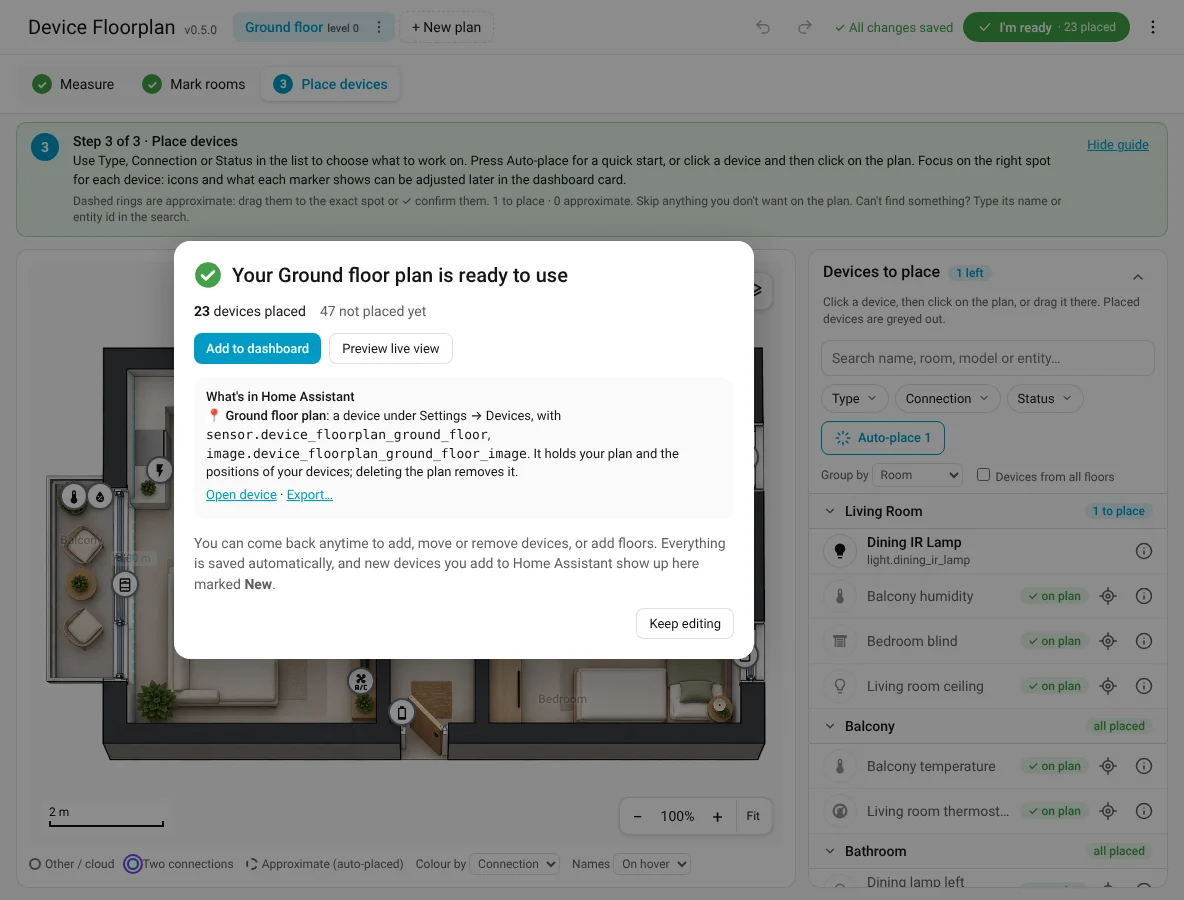
The summary shows how many devices are placed, approximate and not placed yet, and what was added to Home Assistant: a device (e.g. Ground floor plan) with an image and a sensor entity. See Entities and attributes.
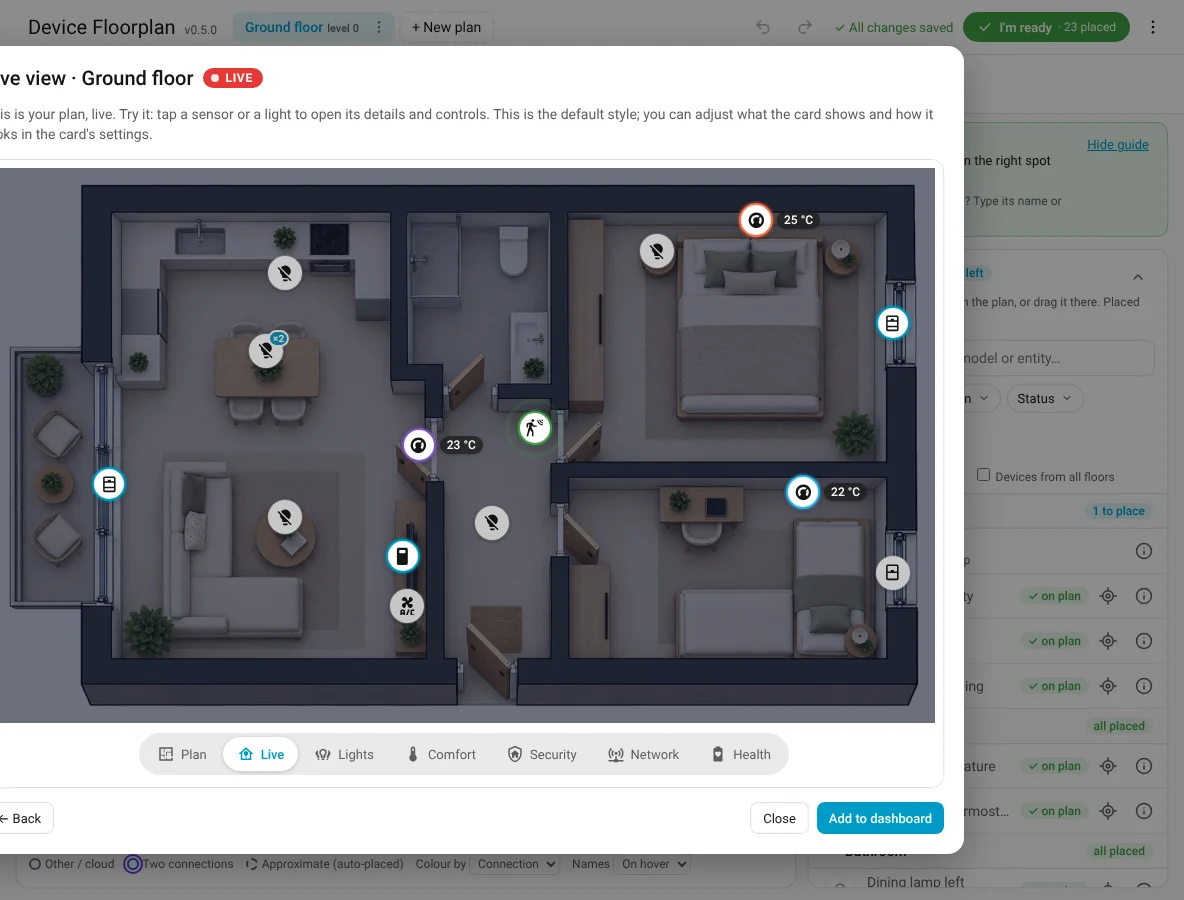
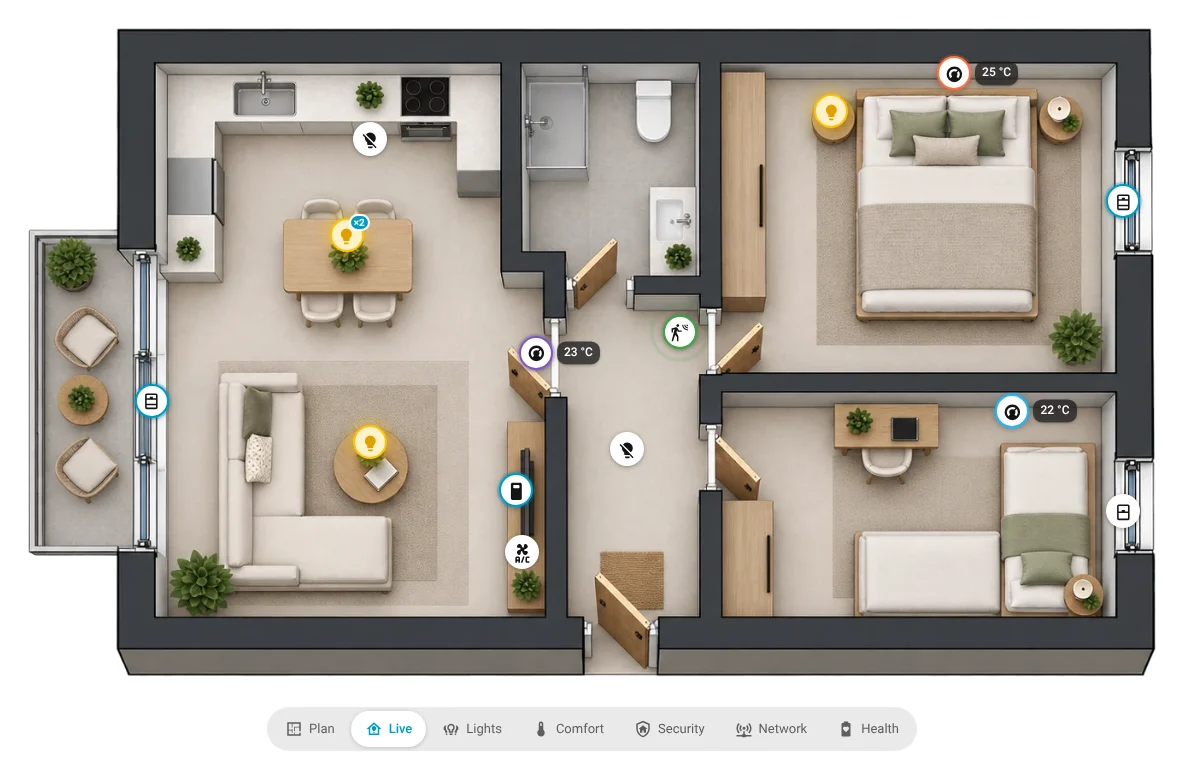
Preview live view
Shows the plan exactly as the dashboard card will: live states, no measurements and no room labels.
Add to dashboard
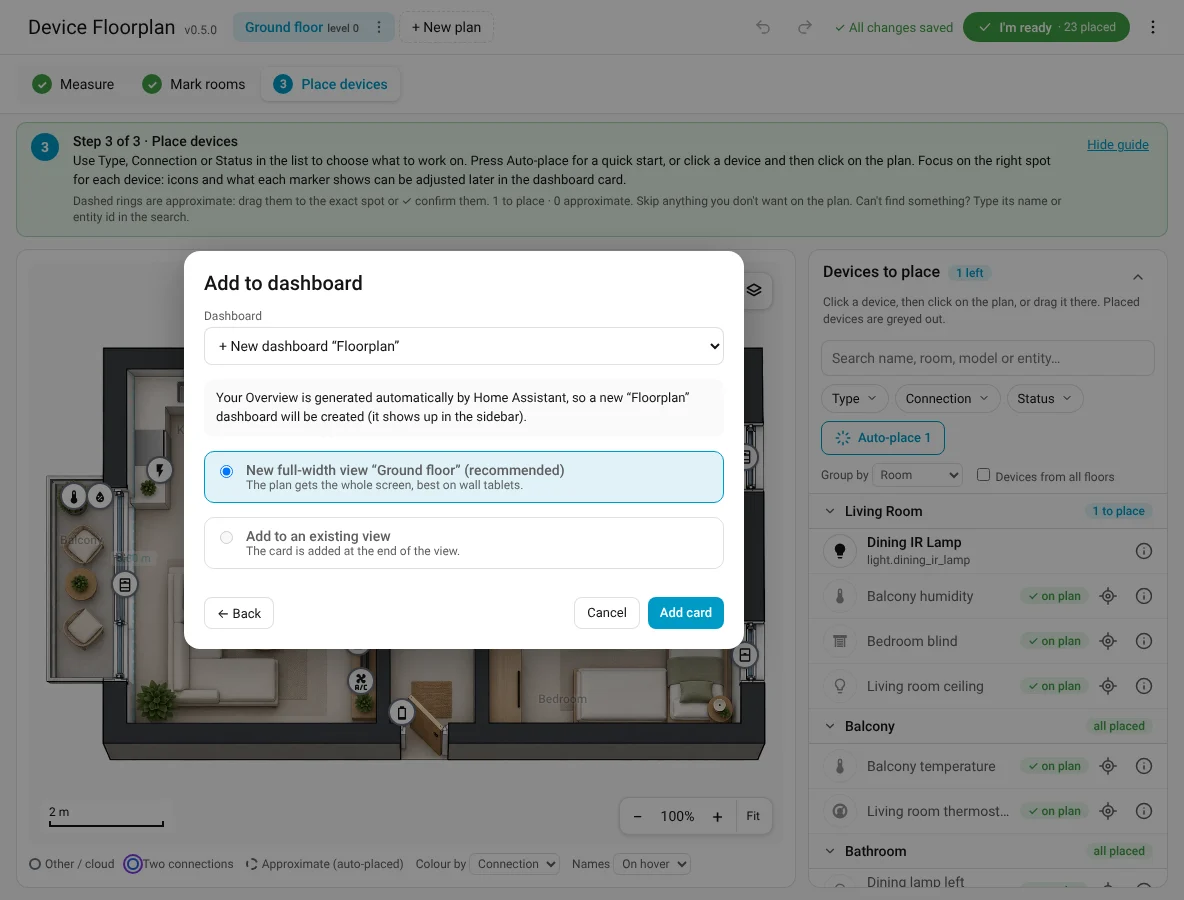
Choose a dashboard, then:
- New full-width view (recommended): the plan gets the whole screen, great on wall tablets.
- Add to an existing view: the card is added at the end.
- + New dashboard "Floorplan": creates a dashboard in the sidebar. This is chosen automatically when your Overview is still generated by Home Assistant (then cards can't be added to it).
For dashboards managed in YAML, the dialog shows the card's YAML to paste by hand.
After Add card, a short confirmation tells you where the card went, with Open dashboard. New views are named after the floor.
When the plan is already on a dashboard
The card reads the plan live, so there is nothing to send: every change is already on the dashboard. I'm ready then says Your dashboard is up to date, shows what changed since last time (placed, moved, removed), and offers Open dashboard, Preview live view and + Add to another dashboard.
You can come back at any time to place more devices or add floors: the card updates by itself.