
Export and import
Open the floor's ⋮ → Export… (or Export… in the I'm ready summary).
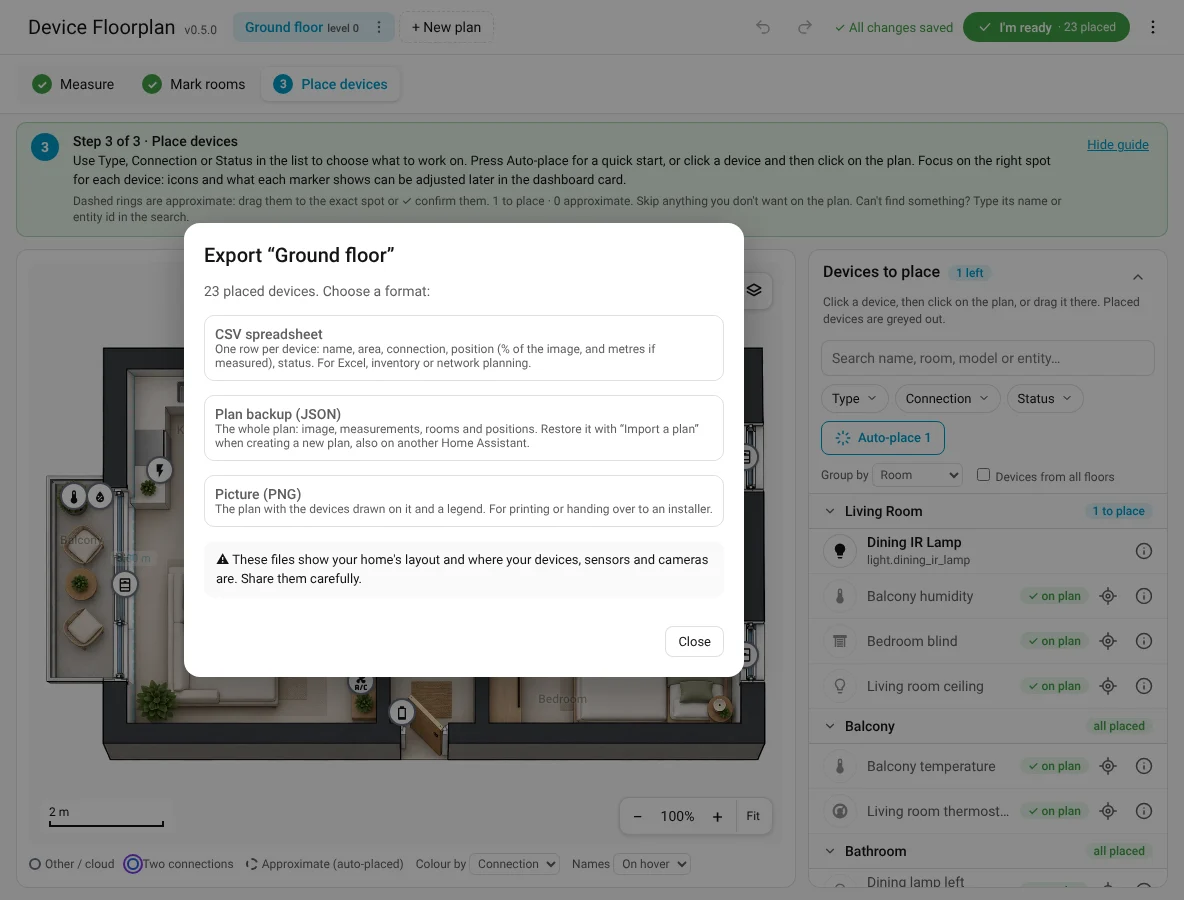
| Format | Contains | Good for |
|---|---|---|
| CSV | One row per device: name, device id, area, plan, connection, type, manufacturer, model, x/y in % of the image, x/y in metres (if measured), status | Spreadsheets, inventory, network planning |
| JSON backup | The whole plan: settings, image (embedded), measurements, room pins, hidden rooms, positions, split-device box spots, light shapes, bonds and phantoms | Backups, moving to a new Home Assistant |
| PNG | The plan with the devices drawn on it and a legend | Printing, handing over to an electrician or installer |
Share carefully
These files show your home's layout and where your devices, sensors and cameras are.
Import a backup
In + New plan, choose Import a plan from a file (.json). A new plan is created with the image, measurements, rooms, positions, bonds and phantoms.
How devices are found, in this order: the same device id, then the Zigbee IEEE address, then the MAC address, then exactly the same name. On the same Home Assistant everything matches by id. On another installation ids differ, so Zigbee and network devices match by address and the rest by name.
When a device isn't found it is simply not placed: the message after the import says N devices matched, M not found here. Those devices stay in the list as to place. Bonds and phantoms keep the devices that were found (a bond with fewer than two left is dropped).
After importing on another Home Assistant
Check the devices that matched by name: two devices with the same name (e.g. Motion sensor) can swap places. Rooms are matched by area id or name; room pins of rooms that don't exist are left out.
If the original floor already has a plan, the import gets the next free level; change it in Floor settings.