
What is Device Floorplan?
Device Floorplan is a Home Assistant integration that puts your devices on your own floorplan image. It adds a planner to the sidebar where you place devices, and a dashboard card that shows them live.
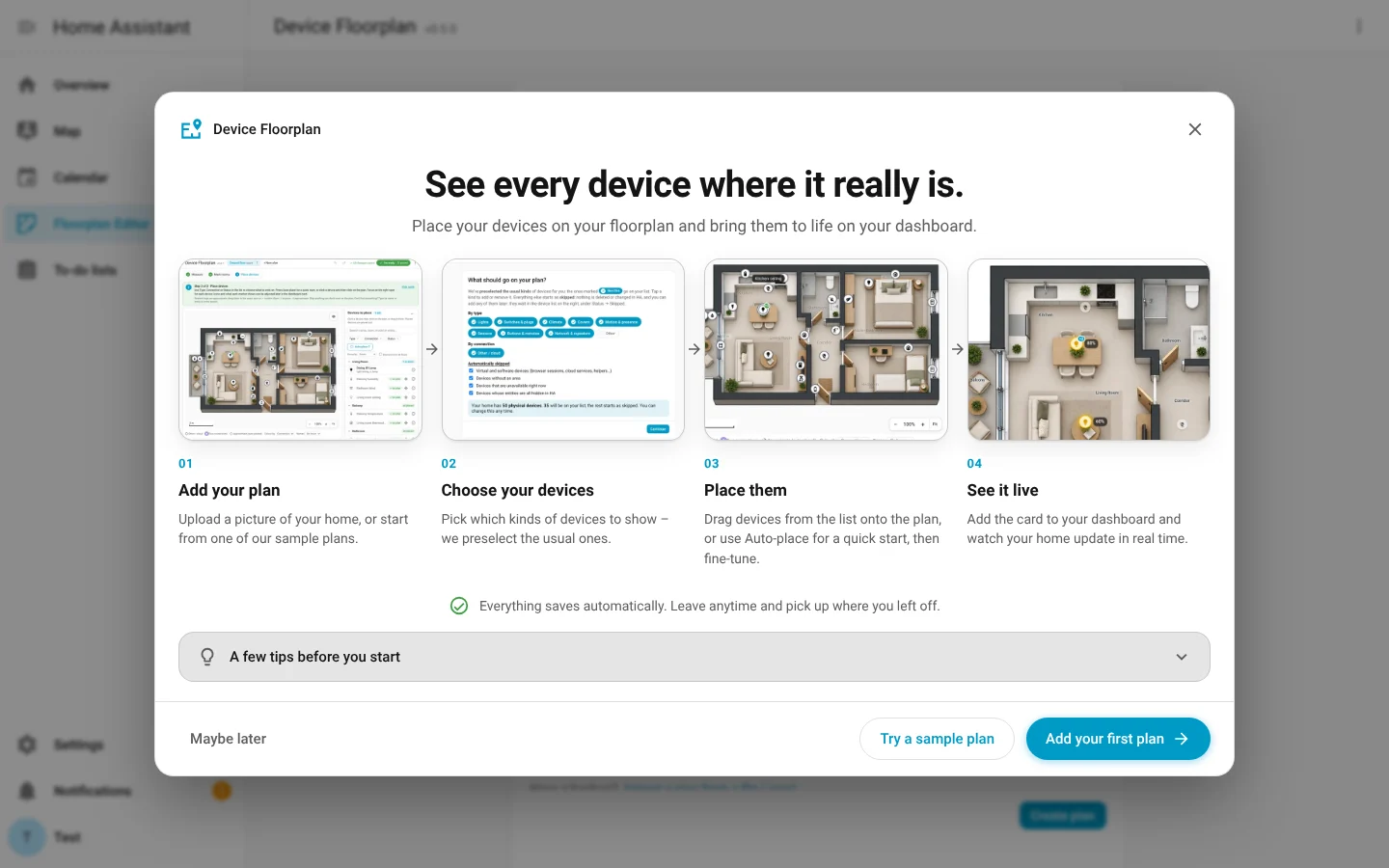
How it works
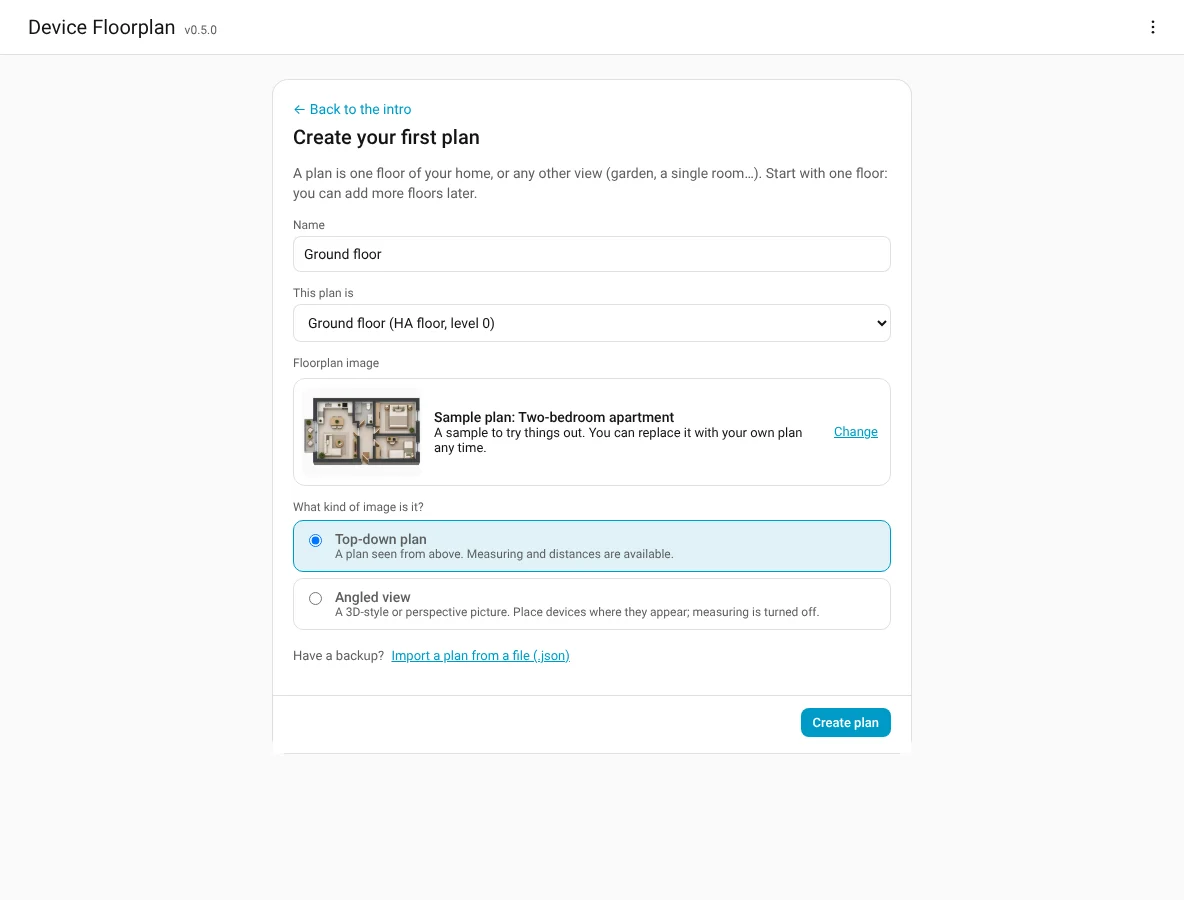
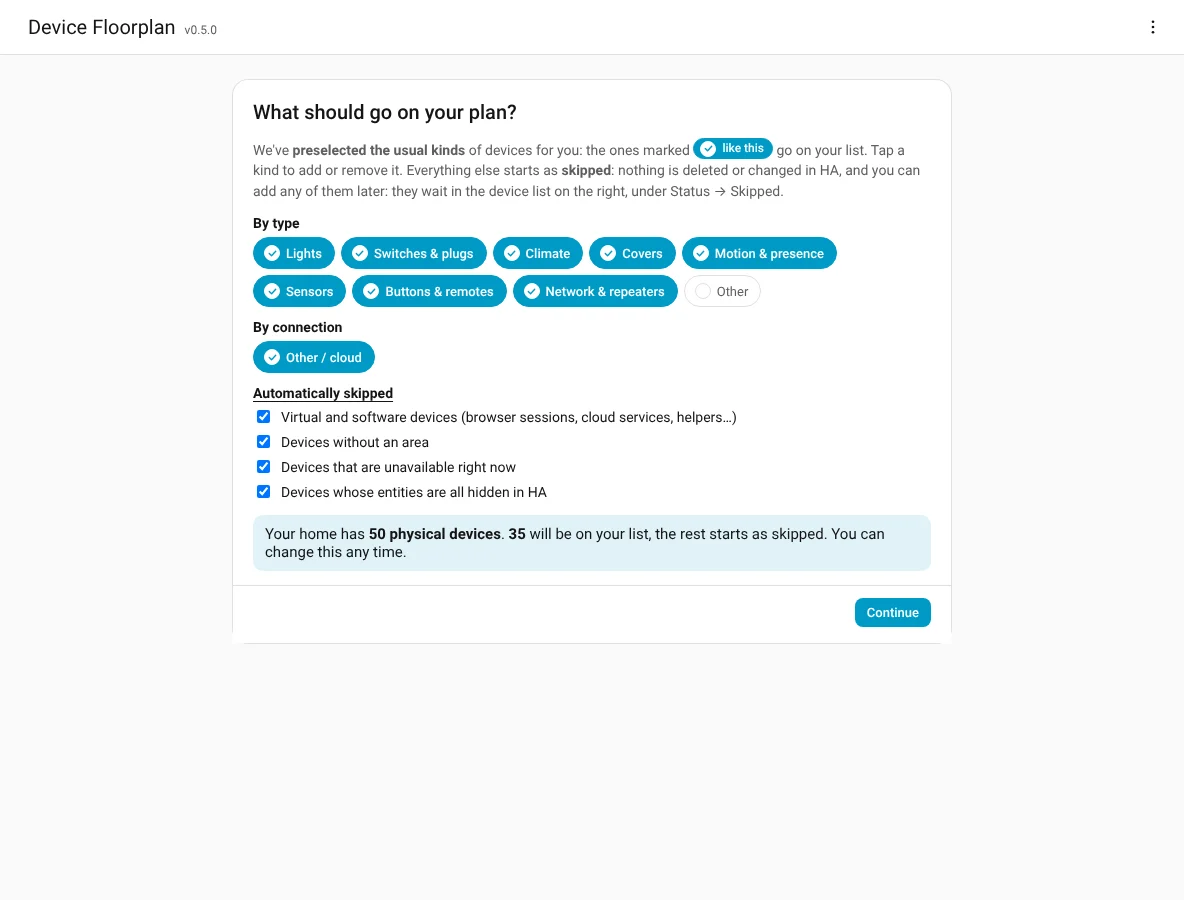
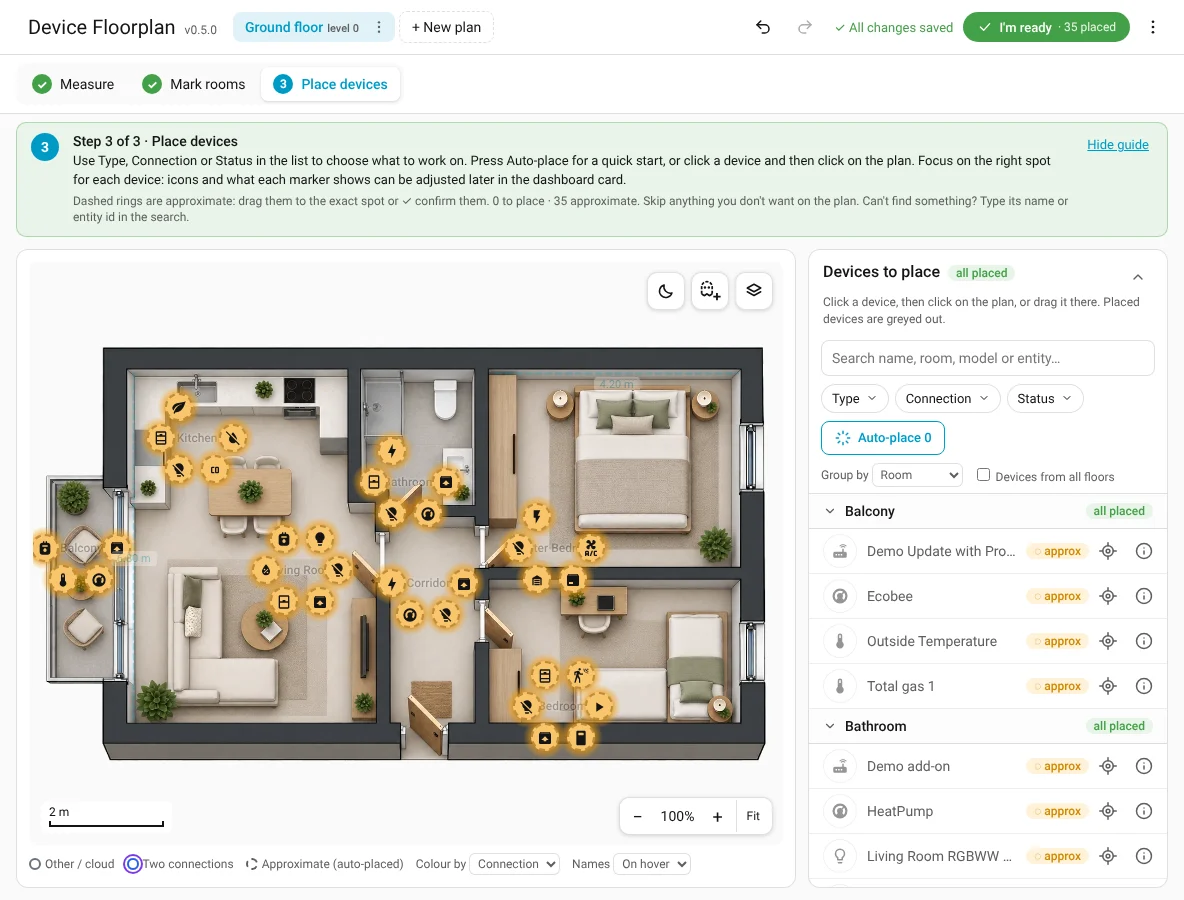
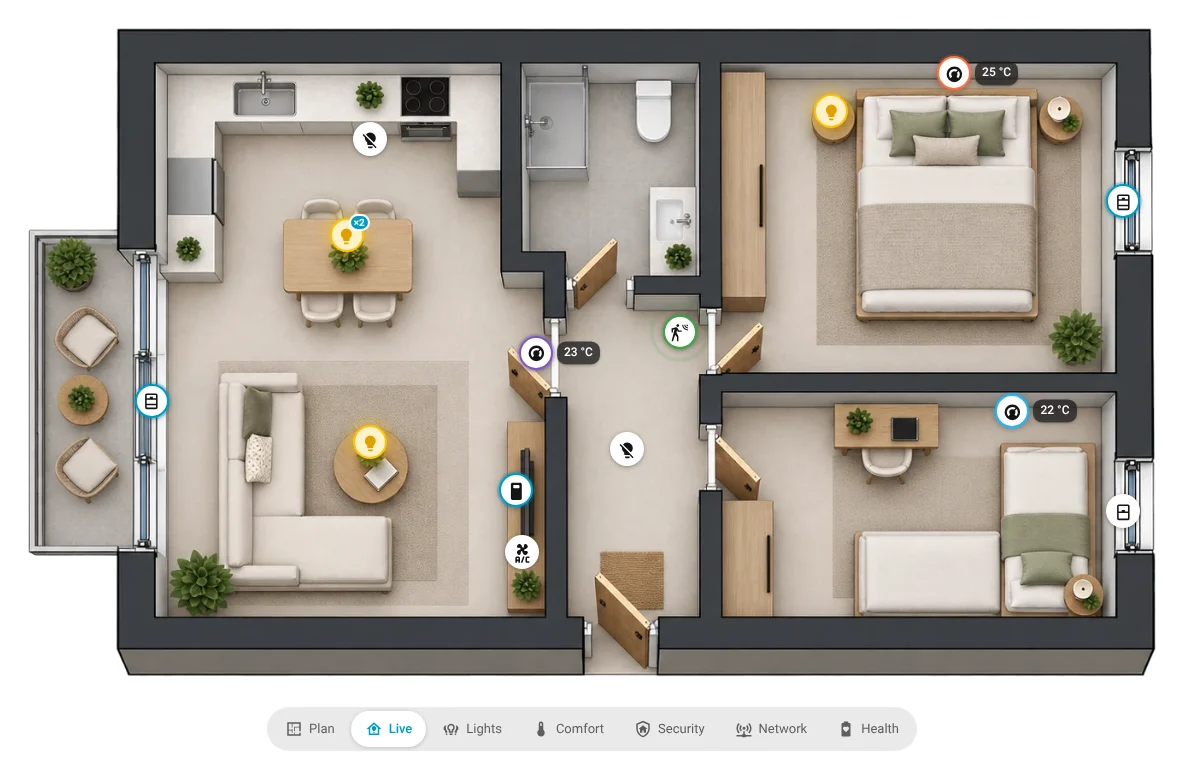
What makes it different
- Image first. You don't trace walls or build a 3D model. Any top-down picture works, and even an angled 3D render can be used.
- Fast. Room pins plus Auto-place put every device in the right room in one click. You only fine-tune.
- Honest about accuracy. Auto-placed devices are marked approximate (dashed ring) until you confirm or move them.
- Fits real homes. Bulbs in one lamp become one device (bond), several sensors one value (phantom), a relay in the wall and the lamp it switches one device in two places (split device). See Concepts.
- Part of Home Assistant. Each plan is a device with an image and a sensor entity, so other cards and automations can use the positions.
What it is not
- It doesn't draw your floorplan for you. If you don't have one, see Turn your sketch into a floorplan in 10 minutes.
- It doesn't model walls or signal attenuation (rooms are pins, not outlines). For that, look at Spatial Context.