
Choosing an image
Device Floorplan works with any picture of your floor. It doesn't need to be exact or to scale: it only needs to be recognisable enough that you know where the kitchen is.
Three ways to add an image
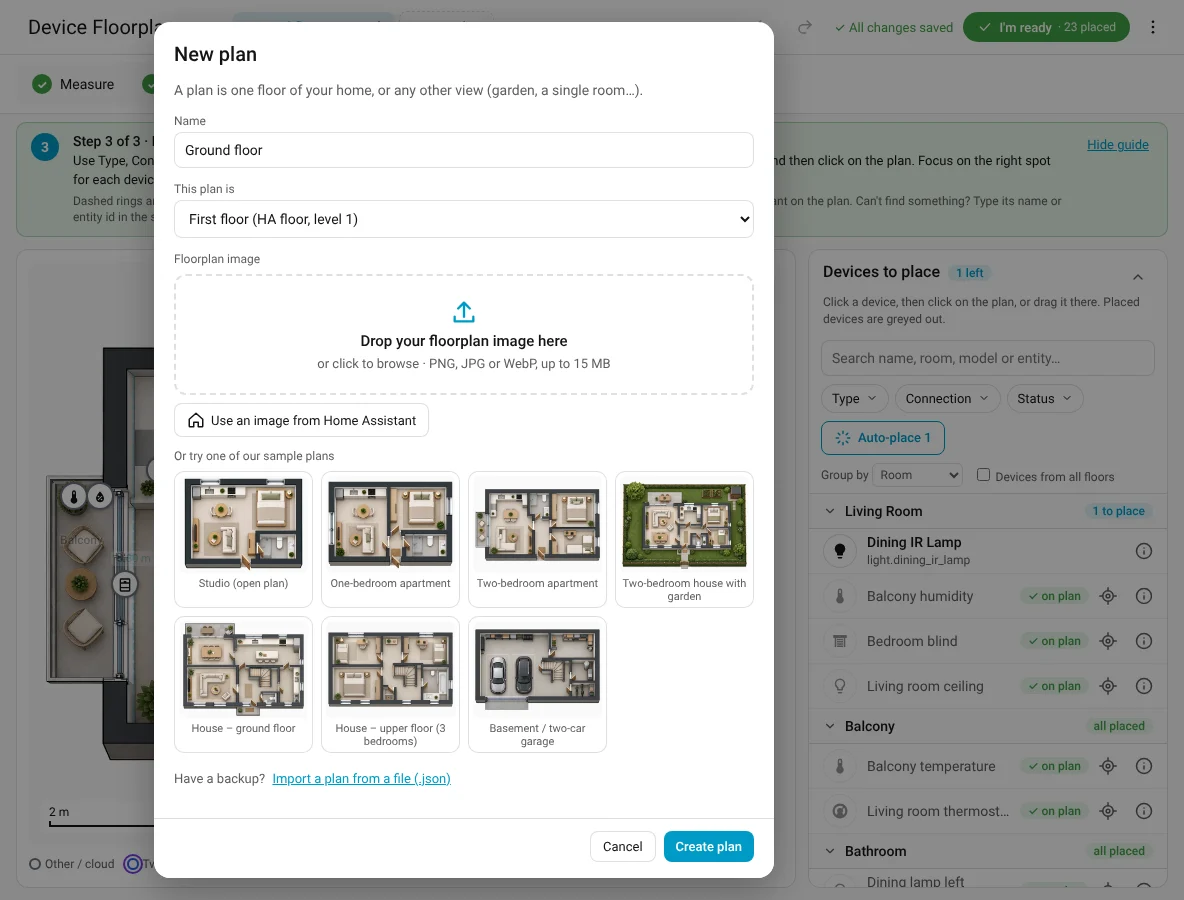
Upload a file
Drop a PNG, JPG or WebP (up to 15 MB) on the drop zone, or click it to browse. Device Floorplan keeps its own copy.
Use an image already in Home Assistant
Use an image from Home Assistant lists the pictures in your config/www folder (shown as /local/…), for example the one you use for a picture-elements dashboard.
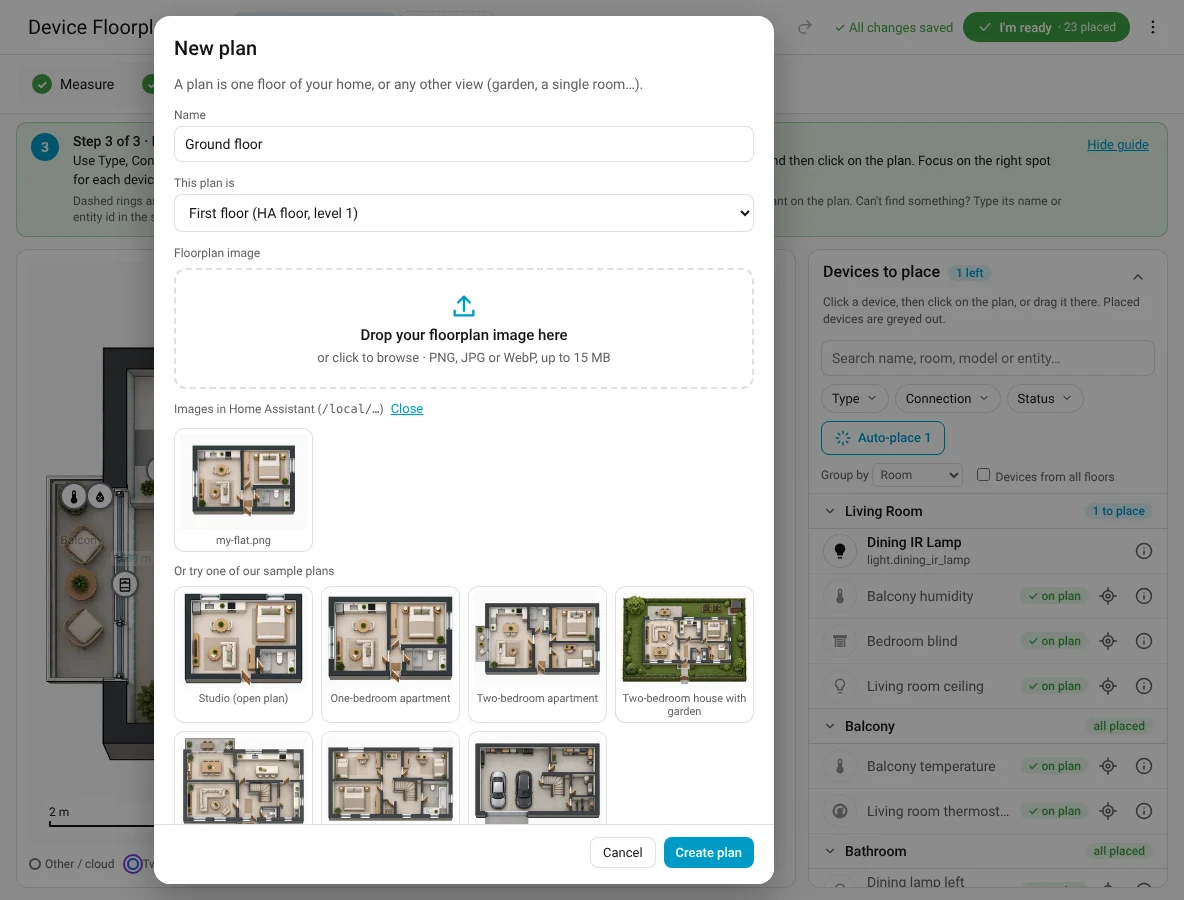
The plan stays linked to that file: if you update the file, the plan updates too. A backup copy is kept automatically. If the original is moved or deleted, the plan shows the copy and tells you, so nothing breaks.
Start from a sample plan
Seven sample plans let you try everything before you have your own. Replace the image later with ⋮ → Replace image: positions are kept. See Sample plans.
Top-down or angled
| Image type | What it is | Measuring |
|---|---|---|
| Top-down plan | Seen straight from above, like an architect's plan | Available |
| Angled view | A 3D render or perspective picture | Off (distances aren't meaningful) |
The type is asked after you pick an image and can be changed in Floor settings.
What makes a good image
- Seen straight from above, cropped tightly around the walls.
- Transparent or light background. Transparent PNGs look best in both light and dark themes.
- Not too busy. Furniture is fine, but text and labels compete with the device markers.
- Landscape fits most dashboards and wall tablets best.
- About 1500–3000 pixels on the long side: sharp, but quick to load.
Where to get one
- Your rental or sales listing, the builder's brochure or the architect's drawings.
- Your robot vacuum's map (screenshot it from the app).
- Scanning apps on phones with LiDAR, or free tools like Floorplanner or Sweet Home 3D.
- A pencil sketch turned into a plan with AI: see Turn your sketch into a floorplan in 10 minutes.