
Light shapes
Every light on the plan has a shape: where its light falls. The card uses it for the soft light pools in the Lights overlay and for the night look. It works without any setup: each placed lamp starts as a bulb of about 1.5 m (6 % of the plan's width when the plan isn't measured).
Anything else with a light (a printer's chamber light, a TV backlight, an aquarium) starts with None: pick a shape if you want its light on the plan, e.g. a small Spot (≈ 0.5 m).
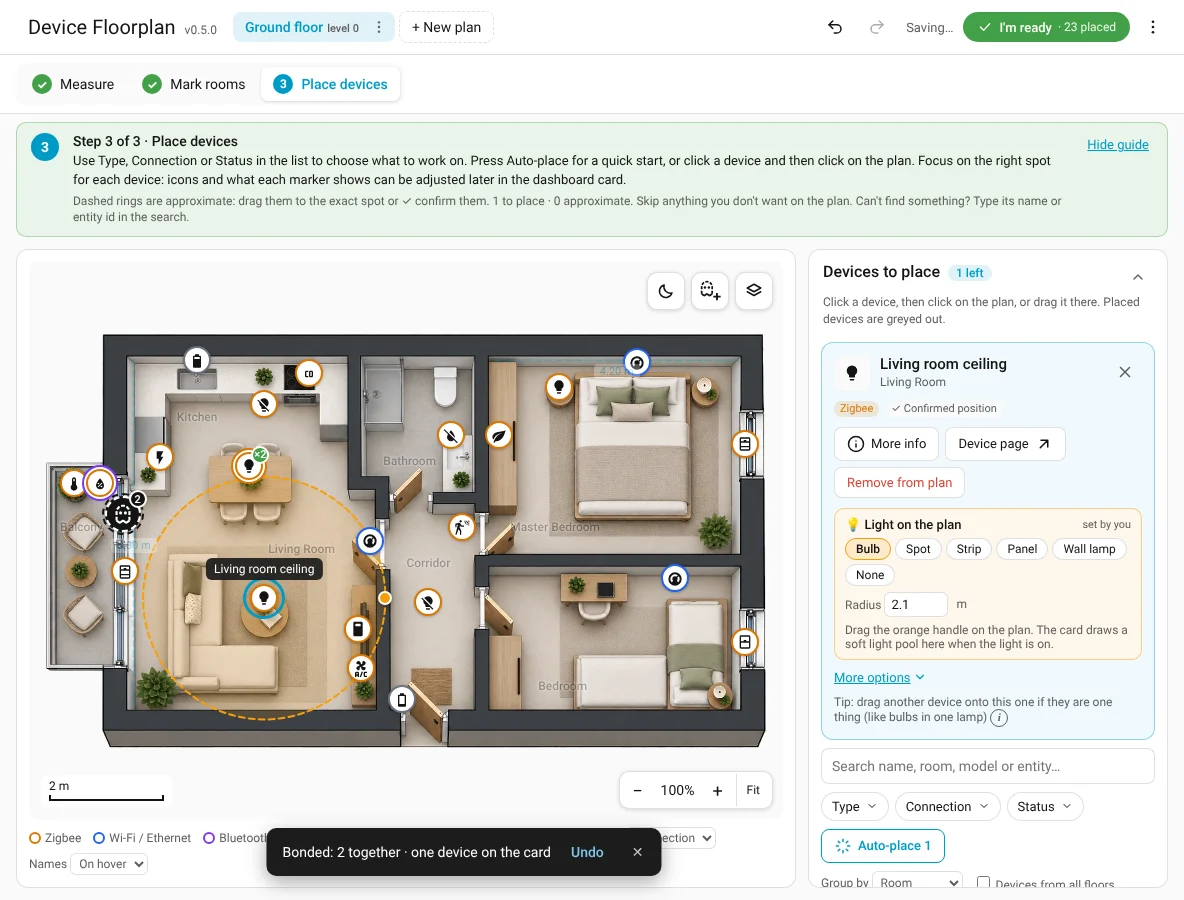
Change a shape
Click a light on the plan (step Place devices). Its card has a small section 💡 Light on the plan:
Colour, for lamps that don't report one (a plain bulb behind a relay): Auto follows the bulb (smart bulbs show their real colour; others warm white), the warm ↔ cool slider picks a white, the colour swatch any colour. The preview on the plan changes with it, and the card uses it for the glow and the marker.
A light in a room with a room shape stays inside that shape.
Or type the size: Radius (or Width / Height for panels) in metres when the plan is measured, else in % of the plan. automatic in the section's corner means you haven't changed it yet.
A bond of lights has one shape for the whole bond (set it in the bond card).
See it at night
The moon button on the plan (next to the phantom and Layers buttons) dims the plan and lets every light glow as if it were on: check all sizes at a glance. Press it again to go back.
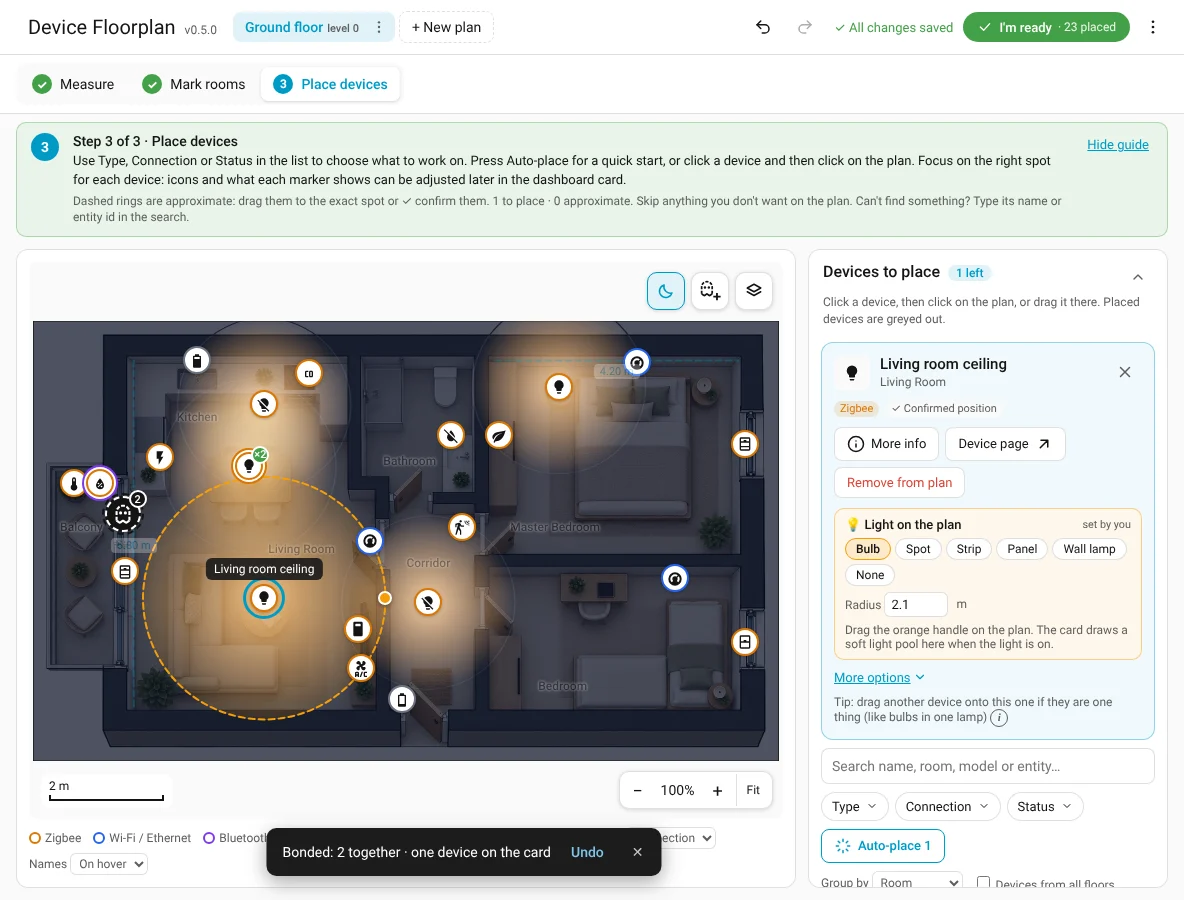
Show all shapes
Layers → Light shapes outlines the shapes of all lights (off by default; the selected light always shows its shape and handle).
Shapes are stored with the plan and exported in the plan's sensor for the card. Nothing changes in Home Assistant.
Air flow for ACs
An AC (anything that can cool) gets 🌬 Air flow on the plan in its card: a cone from the AC into the room. Drag the blue handle to set its direction and reach, pick Narrow / Normal / Wide, or None. By default it points towards the room's pin, about 2 m long.
On the card (Live and Comfort) the air flows while the AC is actually running: blue when cooling, orange when heating, teal for dry and fan. Idle or off shows nothing. It stays inside the room's shape like light does. Heat-only devices (radiators, underfloor heating) get a soft warm glow instead while they heat. If your system is set to reduce motion, the flow is shown without animation.