Bonds
Several devices on the same spot, treated as one device.
Three smart bulbs in one fixture, a 3D printer with its filament unit, a NAS with its drives: in Home Assistant they are separate devices, in your home they are one thing. A bond makes them one device on the plan and on the card: one name, one spot, one marker.
 BondIn the Editor: one marker with a green ×N.
 Same spotSeparate devices on one spot: grey count. Not a bond.
When to use it
| Bond them | Keep them separate |
|---|---|
| Bulbs in one lamp | Two wall switches on one plate that drive different lamps |
| A plug right under the device it powers | Devices that only happen to be close |
| A printer and its filament unit (automatic) | Anything you want to see or tap on its own |
Already have a light group in Home Assistant?
A group helper (e.g. Dinner table = 3 bulbs) works like a lamp on its own: it has its own light shape, and a tap switches all of them. Choose one of the two:
- Use the helper: place the group and skip its bulbs in the Editor, or
- Use a bond: bond the bulbs and leave the helper off the plan.
Not both, or the same lamp appears several times.
Make a bond
- In 3 · Place devices, drag a device onto another one.
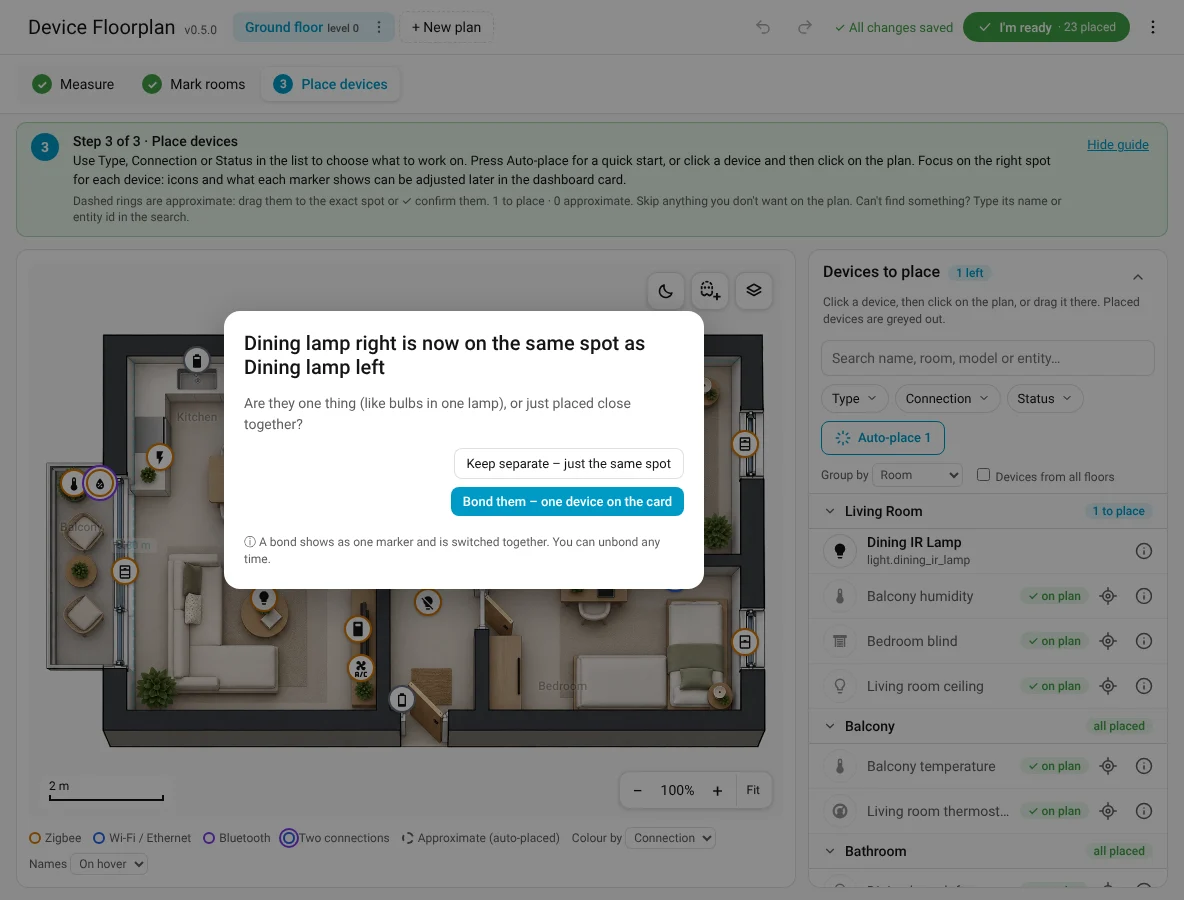
- It lands on exactly the same spot and asks: Bond them – one device on the card or Keep separate – just the same spot.
- Choose Bond them. Add more by dragging them onto the bond.
Bonded automatically. Device Floorplan bonds a device to another one by itself when it is connected through it, comes from the same integration, has no network connection of its own and its name starts with the other's name or model (P2S AMS belongs to P2S). Its card says Bonded automatically; Unbond if the guess is wrong (it stays unbonded).
The bond card
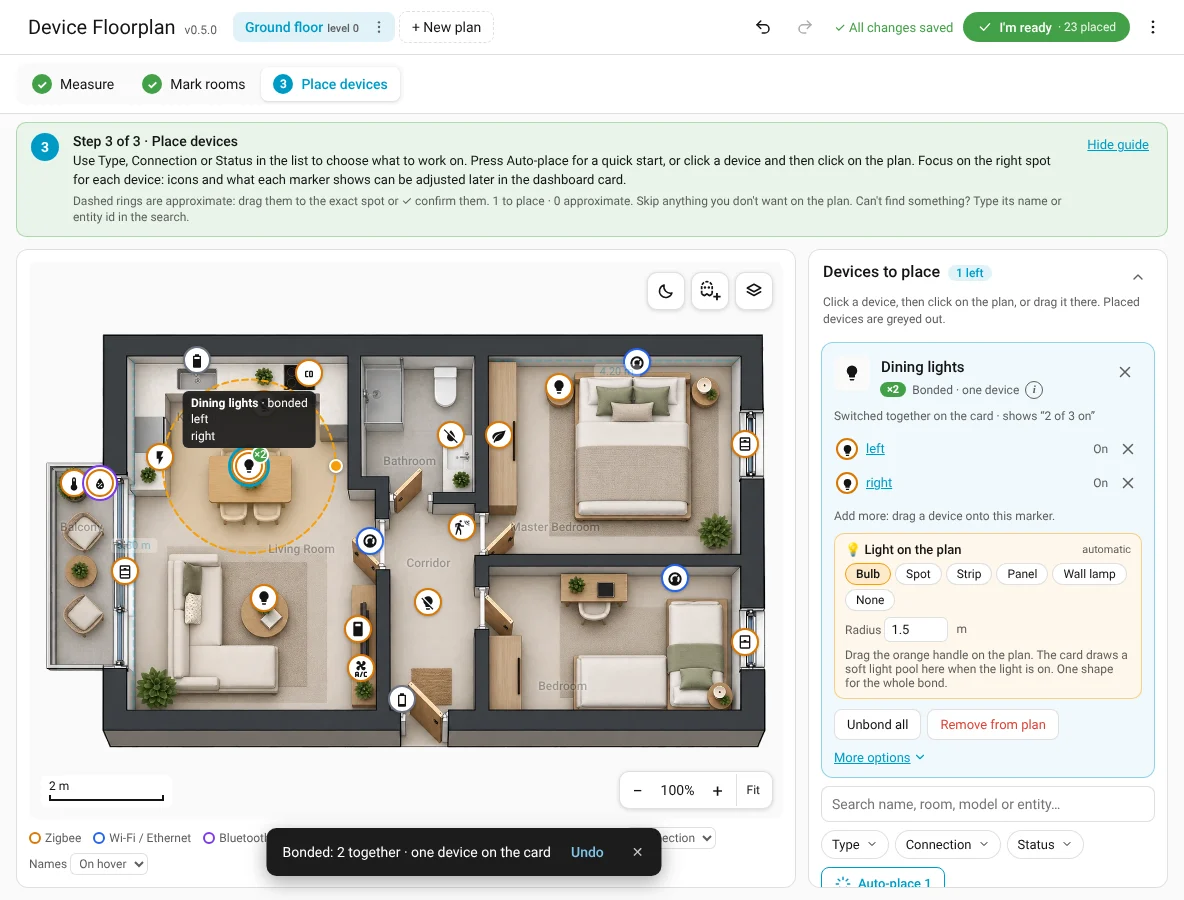
Click a bonded marker: rename it (Dining lights), see what it means on the card (switched together, detected if any, average), the members with their state, ✕ takes one out (it stays on the same spot as its own device), Unbond all. More options: what a tap does and what the marker shows (on if any is on or 2 of 3). Click a member to open its own card (‹ Back to bond).
On the card
A bond is always one marker, its members never appear separately; in the card editor's device list it is called Name (bonded), automatic bonds too. Its value comes from its members:
| Members | The bond shows |
|---|---|
| Lights, switches, plugs, covers | Switched together; 2 of 3 in the popup when only some are on |
| Motion / presence | Detected if any |
| Doors and windows | Open if any |
| Temperature / humidity | One chip: average (or lowest, highest, one sensor: set in the card) |
| Batteries (Health) | The lowest battery; offline if any member is offline |
A bond can also be shown outside the plan with the chip card (2 of 3 on, tap switches them all).
Examples
- Three bulbs in one dining-table lamp: one lamp above the table; tap switches all three, hold shows each bulb.
- Printer + filament unit: bonded automatically; one marker with all its sensors. In Edit markers choose what it shows per overlay, e.g. Live: leads with the print status, also shows the remaining time and the AMS humidity; Lights: the chamber light.
- A plug under the washing machine: bond them, one marker Washing machine.